
AIS 5G eSIM · Phuket
Stay Connected in Thailand
Fast · Reliable · Easy to Use
High-speed AIS 5G eSIM packages for your trip — from 7 to 30 days. Scan a QR code, register with your passport in minutes, and you are online. No shop visits, no contracts, no roaming shock.
- 5G Network
- Easy Activation
- Thailand Coverage
- Local Support

Why choose AIS eSIM
Thailand's leading network, in your pocket
Super Fast 5G Network
Up to 100 Mbps on supported packages — smooth video, clear calls and quick uploads.
Reliable Nationwide Coverage
AIS covers Phuket, the islands and virtually all of Thailand — city, beach or boat.
Easy to Use
Scan a QR code and activate in minutes. No shop visit, no SIM tray, no tools.
Perfect for Travelers
7, 10, 15 or 30-day packages made for trips. No contracts, no surprises.
Speed vs Data
Two numbers, two different things
Every package combines a speed (how fast) with a data amount (how much). Pick the mix that matches how you travel.
Speed — how fast
Measured in Mbps
10 Mbps
Comfortable for maps, chat, social media and HD video.
100 Mbps
Best for streaming, large downloads and heavy use.
Data — how much
Measured in GB, or Unlimited
70 GB / 100 GB
A fixed high-speed allowance that lasts your whole validity period.
Unlimited
No data cap at all for the validity period — browse without counting.
Popular eSIM 5G packages
Pick your days, pick your speed
All packages run on the AIS 5G network and include registration support. Prices in Thai Baht — choose a duration to see what's available.
- 7 days
THB600
- Up to 10 Mbps
- 70 GB high-speed data
- Valid 7 days
- AIS 5G network
- 7 daysFast 5GUnlimited
THB750
- Up to 100 Mbps
- Unlimited data
- Valid 7 days
- AIS 5G network
Prefer a physical SIM card?
Same AIS network, classic SIM tray. We deliver to your property in Phuket, or you can collect from us.
AIS Tourist SIM — 7 days, 100 GB
100 GB high-speed data
THB 700
AIS Tourist SIM — 8 days, unlimited data
Unlimited data
THB 750
AIS Tourist SIM — 15 days, unlimited data
Unlimited data
THB 950
AIS Tourist SIM — 30 days, unlimited data
Unlimited data
THB 1,450
Official visual guide
AIS 5G eSIM packages at a glance
See our popular AIS 5G eSIM options, speeds, data allowances and connection guide in one place.
Ready to get connected?
One eSIM, everything you do
What you can use it for
Maps & Navigation
Find beaches, restaurants and your villa without getting lost.
Social Media
Share every sunset the moment it happens.
Streaming
Video and music on the beach, by the pool, anywhere.
Work & Business
Email, video calls and hotspot for remote-work days.
Messages & Calls
WhatsApp, LINE and FaceTime keep your usual number.
How to get connected
Three steps and you're online
An eSIM is a digital SIM already built into your phone. No shop, no plastic card, no waiting.
 1
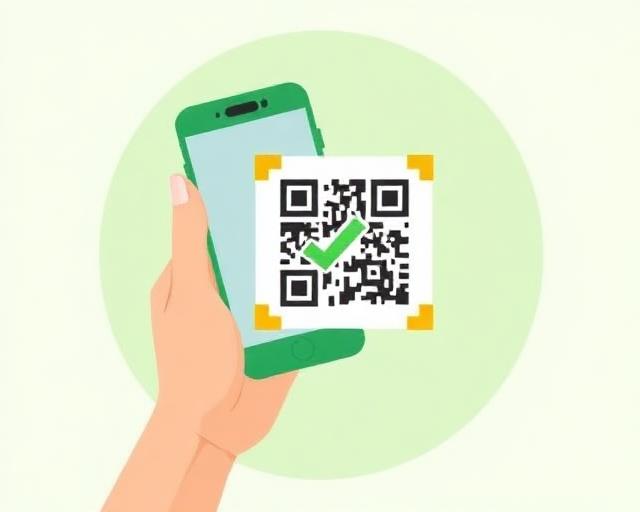
1Scan QR Code
Use your phone camera to scan the QR code we send you — no physical SIM needed.
 2
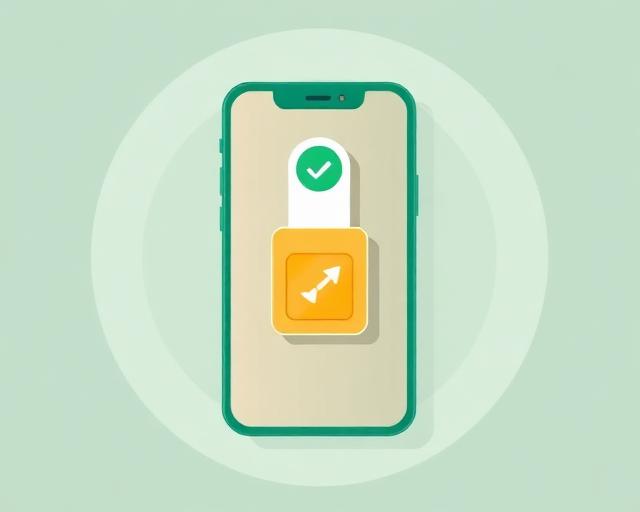
2Install eSIM
Follow the on-screen prompts to add the eSIM and switch on data roaming.
 3
3Enjoy Your Trip
Land in Thailand already connected — maps, chats and bookings from minute one.
How to register & activate your eSIM
Two easy ways — before or after you fly
Thai law requires passport registration for every SIM. You register directly with AIS — it takes just a few minutes.
Option 1
Before arriving in Thailand
- 1
Open your camera or QR scanner and scan the QR code on your eSIM.
- 2
Enter your mobile phone number.
- 3
Enter the OTP sent to you by SMS.
- 4
Complete passport registration, then wait for the confirmation SMS before use.
Tip: your eSIM must be scanned and registered before it can be used — register before you fly and land already connected.
Option 2
After arriving — with the My AIS app
- 1
Download the My AIS app from the App Store or Google Play.
- 2
Open eSIM Installation inside the app.
- 3
Scan your eSIM QR code from within the app.
- 4
Enter the OTP, complete passport registration and install the eSIM.
Stuck on any step? Message us on WhatsApp or LINE — we walk you through it in English or Thai.
Official visual guide
How to Register Your AIS Tourist SIM
Prefer a visual guide? Follow the step-by-step instructions below to register and activate your AIS Tourist SIM.
AIS Tourist SIM — registration guide
Register in minutes, step by step
The same flow applies to eSIM and physical Tourist SIM. Have your passport and your SIM pack (or eSIM QR code) ready before you start — and make sure the device you register on is connected to the internet (Wi-Fi or mobile data).
- 01
Choose your ID type
Select Passport for Foreigner, then tap Next.
- 02
Activate your SIM
Tap Start Now to begin activation.
- 03
Scan or enter the serial number
Scan the barcode on your SIM pack, or type the 13-digit number printed below it. Tap Next.
- 04
Enter your phone number
Type the AIS phone number shown on your SIM pack and tap Confirm.
- 05
Photo of your passport
Take a clear photo of the passport information page.
- 06
Photo of your face
Take a quick live selfie to confirm it is really you.
- 07
Review your information
Check every detail carefully before submitting.
- 08
Registration complete
A confirmation appears on screen and AIS confirms completion by SMS.
- 09
Receive your new number
Once registration is complete, your new AIS phone number is sent to you by SMS or LINE.
- 10
Promotion information
You will also receive your AIS promotion details by SMS or LINE.
Your privacy is protected. You register directly with AIS — Bcare never sees, receives or stores your passport, photos or ID data.
Important notes
Packages cannot be extended. When your package expires, simply buy a new eSIM.
No refunds once your order has been confirmed by our team.
Your phone must support eSIM and must not be locked to another network.
All packages require passport registration before activation — this is Thai law.
Need help?
Talk to Bcare — real people in Phuket
Questions about packages, phone compatibility or registration? Message us and we reply in English or Thai.


Request your SIM / eSIM
Send your request
Sending this request costs nothing and commits you to nothing. We confirm the package, the price and the handover before anything is charged.
While you are here
Plan the rest of your Phuket stay
Connectivity is usually the first thing sorted. Here is what most guests arrange next.